
Markets
Your daily market briefing, built around your watchlist
Avos puts the prices that matter to you next to the news that moved them, in one email on your schedule.
What goes into your market briefing
Your watchlist, priced
A markets section lists the stocks, ETFs, crypto, forex pairs and commodities you choose, each with its price and change on the day.
The news behind the move
News sections follow the companies, sectors and markets you care about, summarized by AI from the sources you trust.
Open any asset
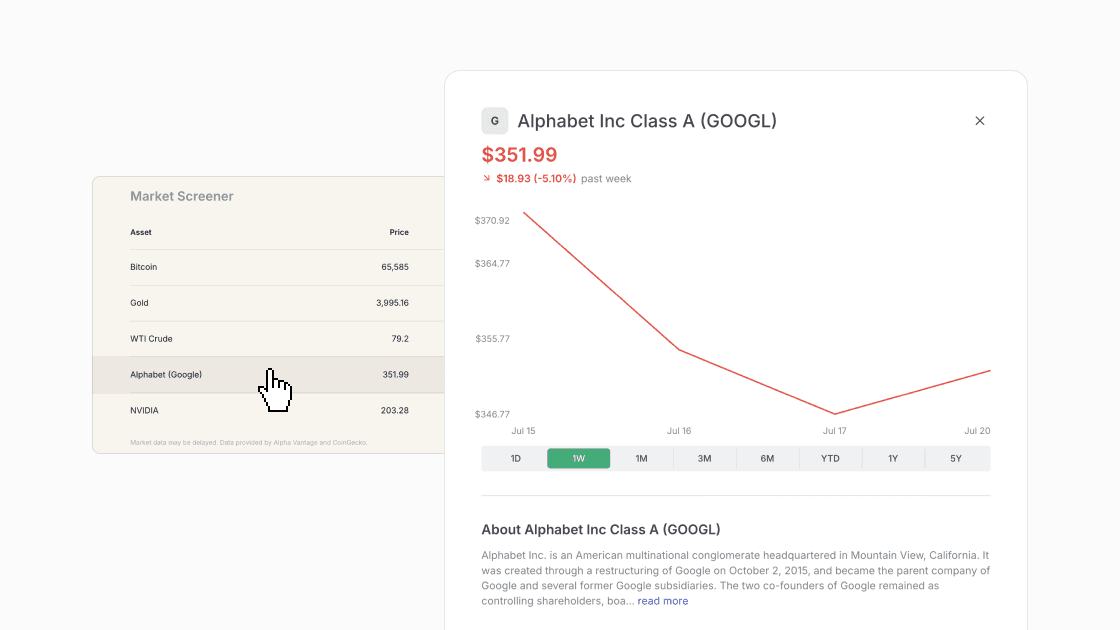
In the web version, open a stock, ETF, crypto or commodity to see its price chart, from one day to five years, with key stats and a short profile.
Your portfolio, if you want it
Add a portfolio section with your holdings and cost basis to see their value and profit or loss in every issue.
How it works
Start from a template
Begin with Markets & Investing or Crypto, or describe the briefing you want to the editor.
Pick your assets and sources
Add the tickers you follow and the news you want next to them.
Choose your schedule
Daily, on the weekdays you pick, or monthly, at your time and in your timezone.
Market data comes from Alpha Vantage and CoinGecko and may be delayed. Your briefing is information, not investment advice.
Questions
Start your market briefing
Start from the Markets & Investing template, free on Starter.
Start for free